How to Choose a Learning Management System

Choosing a learning management system (LMS) is an important decision for schools, universities, training providers, and businesses that want to organize learning activities online. The right platform can help an organization deliver courses, manage learners, assess progress, distribute educational materials, and understand whether its training programs are meeting their objectives.
However, learning management systems differ considerably in their capabilities. Some platforms focus on classroom learning and academic administration, while others are designed for employee training, professional development, compliance courses, online certifications, or commercial course delivery. Some emphasize structured lessons and assessments, while others focus on collaboration, interactive content, reporting, or integration with existing business systems.
Choosing an LMS based only on its advertised features can lead to unnecessary costs or a platform that does not fit the organization’s actual teaching and training processes. A school may need classroom management and student progress tracking, while a business may prioritize employee onboarding, training completion records, role-based course assignments, and integration with human resources software.
Organizations beginning their research can explore the Education industry on FirmsDirectory to discover companies operating in education, digital learning, educational services, and related technology. The E-learning Companies category is another starting point for exploring businesses that provide online courses, digital training, and technology-supported learning solutions.
This guide explains the different types of learning management systems, the features worth evaluating, how to compare vendors, what to consider about accessibility and learner data, and how to determine whether a platform provides long-term value.
What Is a Learning Management System?
A learning management system is software used to organize, deliver, manage, and track educational or training activities. It provides a central environment where administrators, instructors, employees, students, or other learners can access relevant learning materials and complete assigned activities.
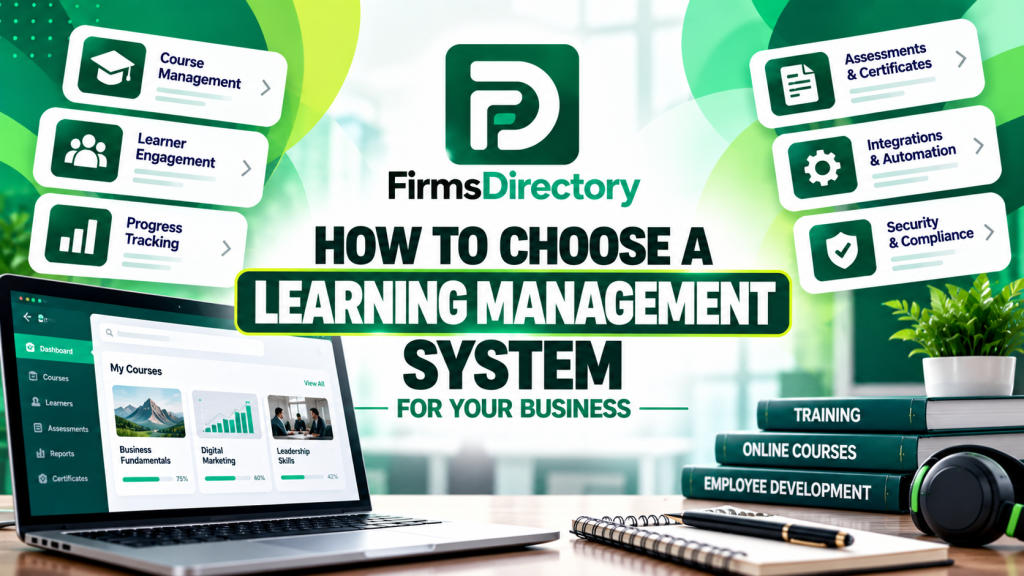
Depending on the platform, an LMS may support course enrollment, content delivery, assessments, assignments, discussion areas, progress tracking, completion records, certificates, reporting, and communication between instructors and learners.
Some platforms are designed primarily for academic institutions, while others focus on corporate learning, professional training, or organizations that sell online courses. The terminology and feature sets may overlap, so the provider’s actual capabilities matter more than the name of the product category.
Typical LMS functions include:
- Course management: Organizing learning materials into courses, modules, lessons, and learning paths.
- Learner management: Creating accounts, assigning courses, grouping learners, and managing enrollment.
- Assessments: Creating quizzes, assignments, tests, and other ways to evaluate understanding.
- Progress tracking: Recording completion, assessment results, learning activity, and other available progress information.
- Certificates: Issuing completion certificates when learners meet defined requirements.
- Communication: Supporting announcements, discussions, messages, feedback, or collaboration.
- Reporting: Summarizing learner participation, course completion, assessment outcomes, and other selected metrics.
- Integrations: Connecting the platform with identity systems, human resources software, student information systems, video services, or other applications.
Not every LMS includes all these capabilities, and some advanced features require paid add-ons or third-party integrations.
An LMS also does not automatically create effective educational content. Instructors and training teams still need learning objectives, suitable materials, meaningful assessments, and a way to review whether learners are achieving the intended outcomes.
Why Organizations Use Learning Management Systems
An LMS can help organizations coordinate learning activities that would otherwise be distributed across documents, email, spreadsheets, video platforms, and separate assessment tools.
Centralize learning materials
When lessons, assignments, reference documents, and course announcements are stored in different locations, learners may struggle to find the correct material. A central platform can make it easier to organize courses and communicate where learners should go next.
Centralization can also help instructors maintain consistent course structures and identify which resources need to be updated.
Support remote and flexible learning
Online learning platforms can help learners access materials outside a traditional classroom or fixed training location. Depending on the system, learners may complete self-paced activities, join live sessions, review recordings, or use a combination of online and in-person instruction.
The appropriate model depends on the subject, the learners’ schedules, available connectivity, and the need for interaction or practical supervision.
Organize employee training
Businesses may use an LMS for onboarding, internal training, professional development, product education, compliance learning, or role-specific training.
A company can assign different courses to employees according to their roles, track completion where the platform supports it, and maintain records that help managers understand which training activities have been completed.
These records should be interpreted carefully. Completing a course does not necessarily prove that an employee can apply the knowledge successfully in a real work situation.
Manage large learner groups
Organizations serving many learners may need centralized enrollment, course assignments, automated notifications, and reporting across different groups or locations.
When evaluating a platform for a large program, ask how it handles peak usage, enrollment changes, course access rules, and the administrative workload associated with managing learners.
Understand learning progress
Learning data can help instructors identify topics where learners struggle, courses with low completion rates, or assessment questions that consistently cause difficulty.
These observations can inform changes to course materials, teaching methods, and support arrangements. Reports are most useful when they lead to specific improvements rather than simply recording activity.
Types of Learning Management Systems
Learning management systems serve different educational and business models. Before comparing products, identify the type of learning environment you need to support.
Academic learning management systems
Academic LMS platforms are designed for schools, colleges, universities, and other educational institutions. Depending on the product, they may support course materials, assignments, quizzes, discussion boards, grading, instructor feedback, and connections to student information systems.
Institutions should examine how the platform supports their teaching methods, enrollment structures, academic reporting, accessibility requirements, and existing systems.
They should also consider the needs of different users, including instructors, administrative staff, students, and families where the learning environment involves younger students.
Corporate learning management systems
Corporate LMS platforms are designed to organize employee training and workplace learning. Features may include onboarding courses, role-based assignments, completion tracking, reporting for managers, and integration with human resources systems.
Some organizations need a straightforward way to distribute learning materials. Others require detailed administration across multiple departments, locations, business units, or employee groups.
Before choosing a corporate LMS, determine which reporting and assignment controls are genuinely necessary and which features would add complexity without improving the training process.
Customer and partner training platforms
Companies may use an LMS to educate customers, distributors, implementation partners, or other external audiences.
These programs may involve product training, technical documentation, onboarding materials, certification pathways, or structured learning for partner networks.
Evaluate how the system separates internal and external users, controls access, manages registration, and supports reporting for each audience.
Commercial online course platforms
Course creators and training businesses may need tools for selling courses, managing enrollment, processing payments, issuing certificates, and communicating with customers.
Some LMS products provide these capabilities directly, while others require integration with ecommerce, membership, payment, or marketing systems.
If you plan to sell training, confirm how pricing, course access, refunds, taxes, subscriptions, and customer records are handled before committing to a platform.
Open-source learning management systems
Open-source LMS software can provide greater control over configuration, hosting, integrations, and source code, depending on the software license and deployment arrangement.
This approach may suit organizations with technical resources or an implementation partner capable of maintaining the system.
However, open-source software does not eliminate operating costs. Hosting, upgrades, security, backups, customization, integrations, and technical support may still require ongoing investment.
Cloud-hosted learning platforms
Cloud-hosted LMS products are operated as managed services by a provider. This can reduce the need for an organization to maintain the underlying infrastructure itself.
The provider may handle application updates and infrastructure operations, while the customer manages areas such as accounts, course content, permissions, configuration, and its own data-related obligations.
Review the service agreement to understand availability commitments, data export, backup arrangements, support, and the division of responsibility between the vendor and your organization.
Define Your Learning and Training Requirements
Before comparing LMS products, identify the learners, courses, teaching methods, and administrative tasks the platform must support. This prevents feature lists from driving a decision that should be based on the actual learning program.
Define the learner audience
Identify whether the platform will serve school students, university learners, employees, customers, professionals, or a combination of groups.
Consider their ages, technical skills, devices, languages, accessibility needs, available time, and familiarity with online learning.
A platform used primarily by office employees may have different requirements from one used by learners who depend on mobile devices or limited internet connections.
Identify the learning objectives
Specify what learners should know or be able to do after completing the program. The objectives influence the type of course content, assessment methods, reporting, and instructor involvement the LMS needs to support.
A course focused on introductory knowledge may rely on readings, videos, and quizzes. A program teaching practical skills may need assignments, demonstrations, feedback, simulations, or instructor evaluation.
Estimate learner volume
Estimate the number of learners who will use the platform and whether they will access it at the same time.
Include expected growth, seasonal enrollment, course launches, and peak assessment periods. Ask providers how the system handles increased usage and whether the pricing changes with the number of learners or active users.
Identify administrative responsibilities
Determine who will create courses, enroll learners, manage access, update materials, review reports, answer questions, and troubleshoot issues.
If the platform will be used across several departments, clarify which activities should be centralized and which should remain under local administrators.
Separate essential and optional capabilities
Create a prioritized list of requirements before contacting vendors. Essential requirements are those that must be supported for the platform to operate effectively. Optional features may improve the experience but should not outweigh important gaps in core functionality.
For example, a complicated AI recommendation engine may be less important than reliable assignments, accessible content, accurate records, and straightforward administration.
Essential LMS Features
The most suitable feature set depends on the learning program, but several areas deserve attention during a platform evaluation.
| Feature area | What to evaluate | Why it matters |
|---|---|---|
| Course management | Modules, lessons, enrollment, course reuse, publishing controls | Helps organize and maintain learning materials. |
| Assessment | Quizzes, assignments, scoring, feedback, retakes | Supports evaluation of learner understanding. |
| Progress tracking | Completion records, learning paths, milestones | Helps instructors and administrators monitor activity. |
| Communication | Announcements, discussions, messages, notifications | Connects learners with instructors and relevant information. |
| Reporting | Completion, assessment outcomes, learner activity, exports | Supports program evaluation and administrative decisions. |
| Accessibility | Keyboard access, captions, readable layouts, assistive technology support | Helps learners with different needs access the content. |
| Security | User permissions, authentication, data retention, audit records | Helps protect accounts and learner information. |
| Integrations | Identity systems, HR software, student records, video, other tools | Reduces duplicated work and disconnected processes. |
| Data portability | Exports, migration support, content formats, contract terms | Makes future changes easier to manage. |
Test the features using the tasks your instructors and learners will perform regularly. A polished demonstration does not necessarily show how easily administrators can update courses, resolve enrollment problems, or prepare reports.
Record each provider’s limitations and any additional charges required to meet your essential needs.
Course Creation and Content Management
The platform should make it practical for instructors and training teams to create, organize, update, and deliver educational materials.
Course structure
Check how the LMS organizes courses into sections, modules, lessons, assignments, and other learning activities. Determine whether course content can be reused across multiple programs without creating unnecessary duplication.
For organizations with many courses, the ability to maintain templates and standardized structures may reduce administrative effort.
Content formats
Determine which content formats are supported, such as text, documents, images, audio, video, presentations, quizzes, and interactive modules.
If you already have learning materials, test whether they can be imported without losing essential formatting, navigation, or assessment functionality.
Some learning packages use particular standards or formats to share course content and tracking information between systems. If your organization depends on such materials, ask the provider about supported standards, compatibility limits, and the behavior of imported courses.
Content updates and version control
Course materials may change when procedures, products, curriculum, or policies are updated. Establish how the LMS manages revisions and how changes affect learners who have already started a course.
For compliance or technical training, it can be important to know which version of a course a learner completed and whether the material has since been replaced.
Instructor collaboration
If several instructors contribute to the same program, check whether the platform supports appropriate roles, review workflows, shared course development, and control over publication.
Clarify who can modify content, publish changes, view learner submissions, and access reports.
Content ownership and portability
Determine who owns course materials and what rights apply to files created within the platform. Distinguish between your organization’s original content, vendor-provided materials, licensed resources, and third-party components.
Ask how course materials can be exported if the organization changes platforms and whether the exported files remain usable without the original service.
Assessments, Progress Tracking, and Certificates
Learning programs often need to evaluate whether participants have understood the material or met a defined requirement. The LMS should support assessment methods suited to the subject and learning objectives.
Quizzes and assignments
Determine whether the platform supports the relevant question types, assignment submissions, scoring methods, feedback, and retake policies.
Some programs may need simple knowledge checks, while others require written work, practical demonstrations, instructor grading, or structured peer feedback.
Completion rules
Check how the LMS defines course completion. A platform may allow completion based on viewing required material, passing an assessment, finishing every module, or meeting another configured condition.
Make sure these rules accurately reflect your program. Completion records can be misleading if the platform considers a course finished before learners have completed the activities that matter.
Certificates and credentials
Some platforms issue certificates when a learner meets configured completion or assessment requirements. Organizations should clarify whether these certificates are simply records of participation or represent a particular credential issued under an approved program.
Do not imply that an LMS-generated certificate is a professional license, regulated qualification, or externally accredited credential unless that status is supported by the relevant issuing authority or arrangement.
Progress tracking
Review whether the platform records the information instructors need, such as assignment status, completion dates, assessment scores, and other available learning activities.
Ensure that the reporting is easy to interpret and that administrators can correct errors through an appropriate process.
Interpret assessments carefully
Assessment scores can provide evidence of performance on particular tasks, but they do not always measure broader understanding or the ability to apply knowledge in other situations.
For important programs, consider combining assessments with practical exercises, projects, observation, or other relevant forms of evaluation.
Learner Experience and Accessibility
A learning management system should make it easy for learners to find their courses, understand the required activities, and access the materials they need.
Simple navigation
Check whether learners can quickly locate current courses, upcoming activities, announcements, feedback, and completion information.
A complicated interface can add friction even when the educational content is good. Ask people who represent your intended learner audience to test common tasks before selecting a platform.
Mobile compatibility
Some learners will use smartphones or tablets, particularly when training happens outside an office or traditional classroom.
Test lessons, assessments, video playback, file downloads, navigation, and assignment submissions on the devices your learners are likely to use.
Confirm whether the system supports offline access where required and identify any limitations on assessments, synchronization, or course completion when connectivity is interrupted.
Accessibility
Accessibility helps make online learning usable by people with different abilities and assistive technology needs. Relevant considerations include keyboard navigation, clear focus indicators, text alternatives for images, captions or transcripts for multimedia, understandable forms, and sufficient contrast.
The W3C Web Content Accessibility Guidelines overview provides information about WCAG, an internationally used framework for evaluating web accessibility. An organization should assess the platform and its own course materials rather than assuming that a vendor’s general accessibility statement proves that every course is accessible.
Include accessibility in procurement requirements and test important workflows with representative users where possible.
Language and localization
Organizations serving learners in multiple languages may need translated interfaces, multilingual course materials, localized dates, and support for different writing systems.
Confirm whether the platform supports the languages required and whether translations apply to the administration interface, learner interface, notifications, and reports.
Communication and support
Determine how learners can ask questions, receive feedback, and report problems. Some programs require active instructor interaction, while others are designed for independent study.
Choose communication features that match the learning model instead of adding channels that instructors will not be able to maintain.
Learning Analytics and Reporting
LMS reporting can help organizations understand participation, progress, completion, and assessment outcomes. The usefulness of these reports depends on which information is collected and how it is interpreted.
Track meaningful indicators
Potential measurements include enrollment, active participation, course completion, assessment performance, time to completion where meaningful, and learner feedback.
For business training, managers may also need to evaluate whether the learning addresses a workplace need. Course completion alone does not establish that training improved job performance.
Understand reporting limitations
Time spent on a page, videos viewed, or clicks recorded may indicate activity without proving understanding. Likewise, a low completion rate may reflect unnecessary obstacles, competing responsibilities, or a course that does not match learners’ needs.
Interpret reports in context and investigate the reasons behind the numbers.
Export and combine data
Determine whether reports can be exported in usable formats and whether the LMS can connect with existing reporting systems.
Before combining records from different systems, define the meaning of each field and ensure that the data is accurate enough for the intended analysis.
Use analytics to improve courses
If many learners struggle with the same assessment, instructors can review the lesson, question wording, prerequisites, and instructional approach.
If a course has high enrollment but low completion, investigate whether its length, structure, technical requirements, or expectations create unnecessary barriers.
Reporting should support a cycle of review and improvement rather than turn learning into a competition over easily measured numbers.
AI, Personalization, and Learning Automation
Artificial intelligence is increasingly used in educational technology for tasks such as content assistance, question generation, learner support, search, recommendations, and administrative automation.
These features can be useful, but the benefits depend on the use case, data quality, instructional design, and safeguards applied by the organization.
AI-assisted content creation
AI tools may help instructors draft lesson outlines, generate practice questions, summarize source materials, or adapt explanations for different audiences.
However, generated material can contain errors, omit important context, or introduce unsupported claims. Instructors should verify important facts, review questions and answers, and ensure that the material meets the learning objectives.
The FirmsDirectory guide to choosing AI tools and providers for business offers a practical framework for evaluating features, data requirements, vendor limitations, and total cost.
Personalized learning recommendations
Some systems recommend lessons or activities based on a learner’s progress or selected interests. Such features may help organize the next steps, but recommendations should be evaluated for relevance and fairness.
Do not assume that an automated recommendation accurately identifies a learner’s abilities or future performance. Important educational decisions may require additional context and human judgment.
AI chatbots and learner support
A chatbot may answer routine questions about course navigation, deadlines, or learning resources when it has access to reliable information.
Test whether it can distinguish verified information from uncertain answers, direct learners to the appropriate source, and escalate cases that require an instructor or administrator.
For sensitive matters or important educational decisions, ensure the system does not present an unverified generated response as an authoritative decision.
Data and human oversight
Before adopting AI features, determine what learner information is processed, whether data is shared with external services, what controls are available, and how outputs are reviewed.
AI functionality should support the learning program without weakening privacy, accessibility, or educational quality. Compare the proposed features with a simpler alternative and establish how success will be measured.
Integrations and Technical Compatibility
An LMS is often part of a wider technology environment. It may need to connect with identity systems, student information software, human resources platforms, video conferencing, content libraries, assessment tools, or analytics applications.
Single sign-on and account management
Organizations with many learners may need a centralized way to manage account access. Check which authentication methods are supported and whether the LMS can integrate with the identity system used by your organization.
Clarify how new learners are added, how roles are assigned, and how access is removed when someone leaves or changes responsibilities.
Student information and HR systems
Schools may need to exchange enrollment or course information with student administration systems. Businesses may need employee data, departments, or training assignments to flow from an HR platform.
Confirm which data moves between systems, how often it updates, and what happens when an integration fails or records do not match.
Video and content tools
Learning programs may rely on video conferencing, recorded lessons, interactive content, or third-party course libraries.
Test whether learners can access the required content without confusing redirects, repeated logins, or compatibility problems. Confirm which licenses are needed to use external materials.
Technical standards and content portability
If your organization already owns digital course packages, check whether the LMS can import them and retain the required navigation, assessment behavior, and completion tracking.
Ask for documentation on supported standards and test a representative course. Compatibility should be verified with actual learning materials rather than inferred from a general marketing claim.
Integration maintenance
Every integration introduces another dependency. Determine who maintains connections, monitors synchronization, and resolves issues when one system changes its interface or requirements.
Include integration maintenance in the budget and operational plan.
Learner Data, Privacy, and Security
An LMS may store names, email addresses, course activity, assessment records, assignments, and other information about learners. Some organizations may also handle sensitive educational, employee, or personal information.
Before selecting a platform, understand what information it collects, how it is used, who can access it, how long it is retained, and whether it is shared with third parties.
Review data practices
Read the vendor’s privacy documentation and contract terms. Ask whether learner information is used for analytics, product improvement, AI training, advertising, or other purposes and what controls are available.
Requirements vary by jurisdiction and type of institution. For example, schools in the United States may need to consider applicable Family Educational Rights and Privacy Act (FERPA) requirements when using services that handle protected education records.
The U.S. Department of Education’s guidance on privacy and education technology discusses issues institutions should consider when evaluating online educational services. It is a useful reference for understanding student data questions, but organizations must determine which laws and obligations apply to their own circumstances.
Control administrator permissions
Limit access according to roles. Instructors may need access to their own courses, while central administrators may require broader controls for configuration and reporting.
Use appropriate authentication, review privileged accounts, and remove access when it is no longer needed.
Understand hosting and data location
Ask where information is stored and processed, which service providers may have access, and what contractual protections apply. Some organizations have particular requirements concerning data residency, retention, or third-party processing.
Confirm the provider’s actual arrangements rather than assuming that the platform operates entirely within a particular country or infrastructure environment.
Review backups and recovery
Determine how the platform protects important course materials, records, and configuration. Ask about backup frequency, restoration procedures, service continuity, and access to exported data.
For self-hosted LMS software, the organization may need to manage more of these responsibilities directly. A hosted service may manage parts of the infrastructure, but the contract should clarify the provider’s obligations and limitations.
Plan for incidents and service changes
Find out how the provider communicates security incidents, how the organization can report a concern, and what happens if the service is discontinued or a contract ends.
A practical exit plan should include the ability to retrieve important records and course materials in an appropriate format, subject to applicable rights and contractual limits.
How Much Does an LMS Cost?
Learning management system pricing varies by provider, hosting model, learner volume, feature set, support requirements, and implementation complexity. The most affordable advertised plan is not necessarily the lowest-cost option over the life of the program.
| Cost category | What to evaluate |
|---|---|
| Platform subscription | Monthly or annual charges, learner limits, administrator accounts, and feature tiers. |
| Setup and implementation | Configuration, course structure, user imports, integrations, and initial testing. |
| Content development | Instructional design, video production, assessments, licensed content, and updates. |
| Hosting and maintenance | Infrastructure, updates, backups, monitoring, and technical administration where applicable. |
| Integrations | Identity, HR, student records, video services, analytics, and other connected systems. |
| Training and support | Administrator training, instructor support, user assistance, and vendor service plans. |
| Migration and exit | Data exports, course conversion, record transfers, and future platform transition costs. |
Understand the pricing model
Some vendors charge according to registered users, active learners, administrators, courses, or another usage measure. Others provide fixed plans or custom pricing for larger organizations.
Ask how the pricing model responds to seasonal enrollment, additional departments, new courses, or growing user numbers.
Separate software costs from content costs
The LMS is only one part of the learning program. High-quality instruction may require subject-matter experts, instructional designers, assessments, video production, accessibility work, and ongoing content maintenance.
Include these expenses when comparing solutions. A low-cost platform can still require a significant investment to create effective courses.
Consider the cost of administration
Estimate the time required to manage user accounts, enroll learners, update courses, answer questions, maintain integrations, and prepare reports.
A platform that reduces repetitive work may provide value even when its subscription costs more. Conversely, advanced features may not justify their price if the organization lacks the resources to use them.
Compare the long-term cost
Evaluate likely expenses over a period that reflects your program’s plans. Include subscription changes, implementation, maintenance, additional services, and possible migration.
Choose a solution that fits the approved budget and can be operated consistently rather than one that creates recurring financial pressure.
How to Evaluate LMS Providers
After defining requirements, create a shortlist and compare providers using consistent criteria. Focus on the quality of the fit, not simply the number of features listed on a product page.
Review relevant experience
Determine whether the provider serves organizations with similar learning needs. Experience with corporate training may be useful to a business but may not address every requirement of a school or university.
Ask whether the platform supports the teaching methods, learner groups, reporting, and integrations you need.
Request a focused demonstration
Ask the vendor to demonstrate the workflows your organization identified as essential. These might include creating a course, enrolling learners, grading an assignment, reviewing a learner’s progress, issuing a certificate, and exporting a report.
Test both administrative tasks and the learner experience. A product may work well for administrators while creating unnecessary difficulty for instructors or students.
Check the support arrangement
Find out which support channels are available, when the vendor provides assistance, and how urgent technical issues are escalated.
For a program with fixed examination or certification deadlines, confirm how the provider handles outages and other problems that could prevent learners from completing important activities.
Review documentation and product limitations
Good documentation helps administrators configure the platform and resolve common issues. Ask whether the vendor provides implementation guides, training materials, integration documentation, release notes, and explanations of known limitations.
Confirm which features are included in the proposed plan, which require additional fees, and which would need custom development.
Assess the provider’s roadmap and continuity
Ask how product changes are communicated, how upgrades are handled, and whether the provider has a process for maintaining compatibility with integrations.
A roadmap can be informative, but unbuilt features should not be treated as if they are already available. Base the purchase on current, verified capabilities and documented commitments.
Compare proposals objectively
Use the same requirements when reviewing each proposal. Compare functionality, implementation, learner support, security, integration costs, data portability, and the total expected price.
Record unresolved questions and ask providers to clarify them in writing before making a commitment.
Implementation, Training, and Migration
Choosing an LMS is only the first step. A successful implementation requires organized course content, accurate learner records, clear responsibilities, and enough time for testing.
Prepare the course structure
Organize courses, modules, learning objectives, resources, assessments, and completion rules before importing them into the new platform.
Use consistent naming and organization so instructors and learners can navigate the system without unnecessary confusion.
Clean learner and course data
Review the records that will be imported. Check for duplicate accounts, outdated enrollments, incomplete course records, and inconsistent identifiers.
Define which records need to be migrated and verify the results after importing them into the new system.
Configure roles and permissions
Set up learner, instructor, manager, and administrator roles according to the organization’s needs.
Test that users can access the information and functions required for their responsibilities without receiving unnecessary permissions.
Train instructors and administrators
Provide practical training on course creation, publishing, assessments, feedback, enrollment, reporting, and support procedures.
Administrators should also understand user management, data exports, integration monitoring, and the process for resolving technical problems.
Run a pilot program
Before rolling out the platform to everyone, test it with a representative group of instructors and learners.
Ask participants to complete realistic activities and collect feedback about navigation, content access, assessment behavior, accessibility, and support.
Use the findings to resolve important issues before expanding the deployment.
Establish ongoing ownership
Determine who will maintain courses, approve updates, respond to learner questions, review analytics, and manage accounts.
Without clear ownership, a platform may become difficult to maintain as the number of courses and users increases.
How to Measure Learning Success
An LMS can record learning activity, but the organization must define what successful learning means and which measures provide useful evidence.
Measure participation and completion
Enrollment, activity, completion, and assessment participation can help identify whether learners are engaging with a program.
These measures are useful for administration, but they do not automatically demonstrate that learners understood the material or can apply it.
Evaluate learning outcomes
Choose assessment methods that reflect the intended objectives. A program designed to teach a practical skill may need a demonstration or project, while an introductory course may use knowledge checks alongside other activities.
Where appropriate, compare results before and after training while accounting for the limitations of the measurement method.
Collect learner feedback
Ask learners whether the materials were understandable, the platform was usable, the pacing was appropriate, and the support was sufficient.
Feedback can help identify problems that completion reports do not reveal, such as confusing instructions, inaccessible content, or technical difficulties.
Evaluate business or institutional impact
For corporate training, organizations may examine whether learning supports relevant outcomes such as improved task performance, fewer process errors, or better understanding of approved procedures.
For educational institutions, the appropriate measures depend on the course objectives, subject, assessment model, and learner population.
Do not attribute every change in performance to the LMS. Other factors, including instruction quality, learner background, management practices, and changes to the wider environment, can affect results.
Use findings to improve the program
Review the evidence regularly and identify changes that can make the courses more useful. This may involve revising explanations, changing assessment questions, improving navigation, adding support, or modifying the learning sequence.
The goal is to use the platform to support ongoing improvement rather than treating successful installation as the final objective.
Common Mistakes When Choosing an LMS
Choosing based on the longest feature list
A platform with more features is not automatically better. Additional complexity may increase cost, training requirements, and administration without improving learning outcomes.
Focus on the features required for the learning program and evaluate optional capabilities separately.
Ignoring the learner experience
Administrators may appreciate advanced controls while learners struggle to find lessons or complete assignments. Test the experience from the learner’s perspective before choosing the system.
Underestimating content creation
An LMS can organize learning materials, but it does not guarantee that those materials are well designed. Budget for instructional design, subject expertise, assessment development, accessibility, and ongoing updates.
Overlooking privacy and security
Learner records can be sensitive. Review access controls, data handling, third-party services, retention, and contractual terms before uploading information.
Assuming all integrations work automatically
Confirm how data moves between the LMS and connected systems. Test enrollment, account access, assessment records, and reporting rather than assuming that a listed integration covers every required workflow.
Failing to plan for migration
Changing platforms can involve course packages, learner records, completion history, user accounts, and custom integrations. Confirm what can be exported before the business becomes heavily dependent on a particular service.
Ignoring staff training
Instructors and administrators need to understand how to use the platform. Without training and clear responsibilities, even a suitable system can be used inconsistently.
Measuring activity instead of learning
Logins, time spent, and completed modules can provide useful operational information, but they do not always show whether learners gained the intended knowledge or skills.
Use appropriate assessments, feedback, and relevant outcome measures to evaluate the effectiveness of the program.
Learning Management System Selection Checklist
Before selecting a platform, review the following checklist with the people responsible for learning, technology, administration, and data protection.
- Have we defined the learning objectives and intended audience?
- Does the platform support the teaching or training model we plan to use?
- Can instructors create, update, and organize the required course materials?
- Does it support the assessments, progress records, and reports we need?
- Can learners use it on the devices and connections available to them?
- Have we reviewed accessibility needs and tested essential learning workflows?
- Does the platform integrate with the identity, HR, student records, or content systems we use?
- Have we reviewed privacy, security, data retention, and user permissions?
- Do we understand the pricing model and all significant additional costs?
- Can we export important course materials and learner records if required?
- Have we evaluated vendor support, documentation, and upgrade arrangements?
- Is there a realistic implementation, testing, and training plan?
- Have we defined how the learning program’s success will be measured?
If critical questions remain unanswered, resolve them before signing a contract. A structured evaluation helps ensure the platform is chosen for its ability to support the learning program rather than its appearance during a sales demonstration.
How to Find Learning Management System Providers
After defining the requirements, organizations can use industry categories and company specialties to discover potential education technology partners.
The Education industry on FirmsDirectory organizes company profiles for businesses involved in education, learning services, training, and educational technology. It can help establish a starting point for researching providers that serve schools, businesses, instructors, and learners.
For a more specific search, explore the E-learning Companies category for businesses delivering online courses and digital learning services. The EdTech Companies category can help identify technology businesses developing software and digital solutions for education. The broader Education Companies category provides another way to explore organizations offering learning services, educational resources, and related programs.
These categories support discovery, but a directory listing does not independently guarantee a provider’s quality, compatibility, or suitability. Review the official website, test the platform, confirm the available features, and assess the provider’s support and contractual terms.
For general guidance on using categorized listings to research service providers, read the FirmsDirectory guides to the company directory and business directories.
Organizations considering AI-enabled learning features can also read the guide to choosing AI tools and providers for business. This can help inform the evaluation of AI-assisted course creation, learner support, personalization, and associated data considerations.
For education technology companies: create a clear company listing
Learning management system providers, e-learning businesses, and educational technology companies can also make their services easier to discover by presenting accurate information in a relevant business directory category.
A useful company profile should explain the product or service, the types of organizations it serves, its principal capabilities, and the official website where prospective customers can review more information.
FirmsDirectory offers a free website listing submission process. Companies can submit their websites for review, and domain ownership verification is a separate step after publication for accessing additional owner features.
Choose categories that reflect the actual service. An e-learning content provider, for example, should describe whether it creates courses, delivers training, or supplies software rather than implying that it offers every LMS capability.
An accurate profile helps prospective customers understand a company’s offering while researching education technology. A directory listing does not guarantee inquiries, traffic, rankings, or new customers, so providers should also maintain clear product documentation and an informative official website.
Frequently Asked Questions
What is a learning management system?
A learning management system is software used to organize, deliver, manage, and track learning or training activities. Depending on the platform, it can support course content, enrollment, assessments, progress tracking, certificates, reporting, and communication.
How do I choose a learning management system?
Define the learning objectives, audience, course requirements, reporting needs, budget, integrations, and data protection requirements. Compare providers using the same criteria, test realistic workflows, review support and contract terms, and evaluate the total cost of operating the platform.
What is the difference between an LMS and an online course platform?
An LMS generally focuses on organizing and managing courses and learners. An online course platform may also provide course creation, marketing, payment processing, and selling features. Some products combine both functions, while others rely on integrations to support the full process.
Can an LMS be used for employee training?
Yes. Many learning management systems support workplace training, onboarding, professional development, compliance courses, and role-specific learning. Businesses should confirm that the platform supports their assignment, reporting, access control, and integration requirements.
How much does a learning management system cost?
Pricing depends on the provider, learner volume, subscription model, features, implementation, integrations, support, and hosting arrangements. Compare the total cost over time, including course creation, administration, migration, and maintenance.
What features should an LMS have?
Important features may include course management, enrollment, assessments, progress tracking, reporting, accessibility, communication, security controls, and integrations. The exact requirements depend on the educational program, learner audience, and administrative workflow.
Is an open-source LMS always cheaper?
Not necessarily. Open-source software may reduce licensing costs or provide greater control, but hosting, customization, updates, security, integrations, and maintenance can require substantial time and money. Compare the full cost rather than software licensing alone.
How can an organization protect learner data?
Review the platform’s privacy and security arrangements, limit user permissions, protect administrator accounts, understand data retention, and determine how third-party services process learner information. Also confirm the legal and contractual obligations that apply to your organization.
Can AI improve online learning?
AI may support content development, search, learner assistance, and selected personalized learning features. Its usefulness depends on accuracy, instructional quality, data practices, and appropriate human oversight. Test the specific use case before relying on AI-generated materials or recommendations.
Can education technology companies list their websites on FirmsDirectory?
Yes. Education technology providers and e-learning companies can submit their websites through the free FirmsDirectory website listing process. Submissions are reviewed before publication, and domain ownership verification is a separate process for accessing additional owner features. A listing does not guarantee leads, traffic, or sales.
Conclusion
Choosing a learning management system requires a clear understanding of the learning program, the people who will use it, and the outcomes the organization wants to achieve. A suitable platform should support the required courses, assessments, reporting, accessibility, integrations, security, and administrative workflows without creating unnecessary complexity.
Before committing, define your requirements, compare providers objectively, test the learner and administrator experiences, review data handling, and calculate the full cost of implementation and operation. Make sure instructors receive appropriate training and that the organization has a practical plan for maintaining course content and measuring learning outcomes.
FirmsDirectory provides a starting point for discovering education technology and learning service providers through the Education industry and related categories such as E-learning Companies and EdTech Companies. Use these listings to build a shortlist, then verify product features, support, privacy arrangements, and compatibility before selecting a provider.
Education technology businesses that want to present their services in a categorized directory can also submit their website to FirmsDirectory for free. An accurate profile can help prospective customers understand a company’s services while researching online learning and education technology solutions.